One inbox for every channel.
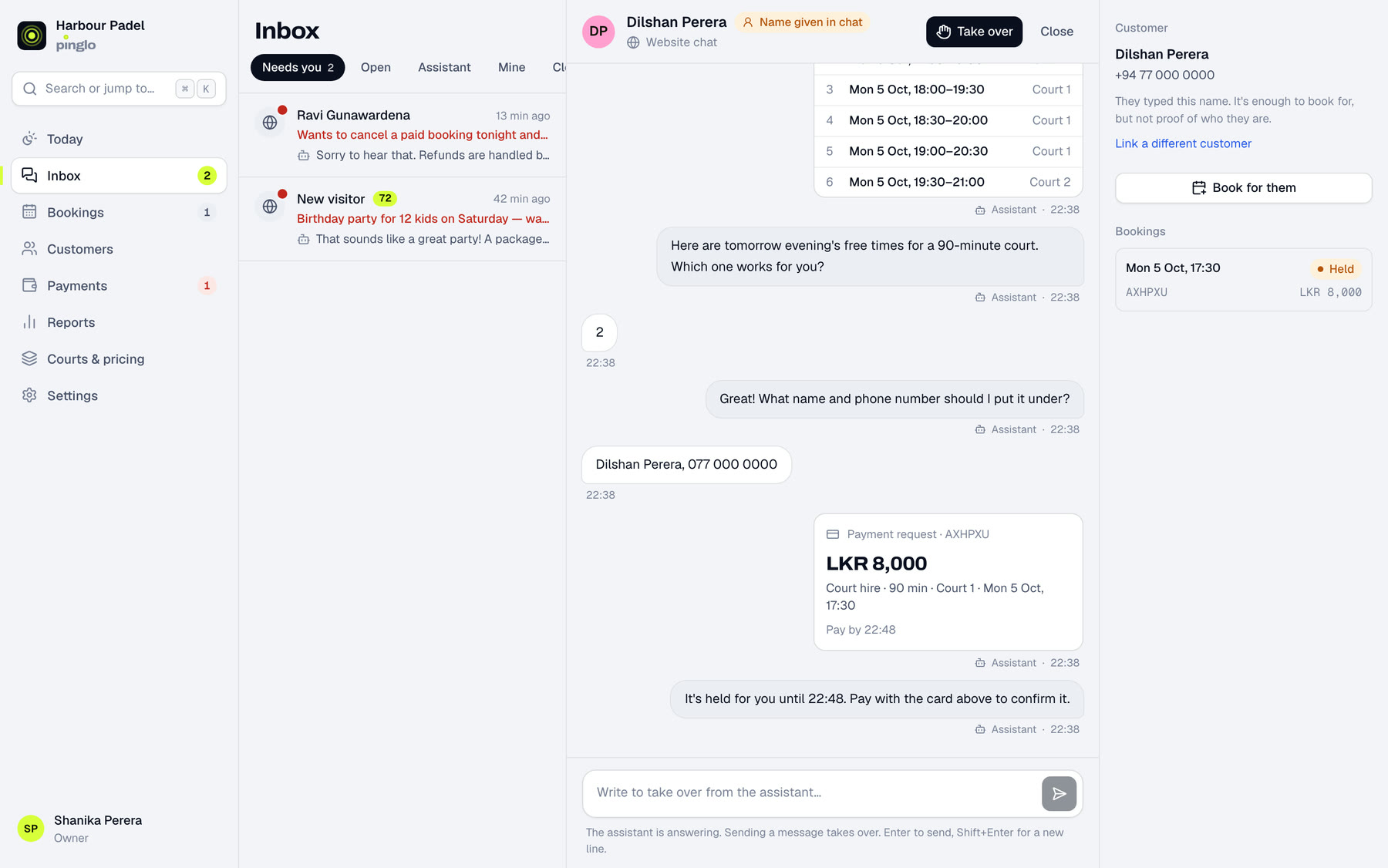
Every conversation from WhatsApp, Instagram and your website in one place, with what the customer asked for, the times it offered and the booking it made. Take over with one tap, and hand it back when you're done.
For venues
Pinglo answers your booking messages on WhatsApp, Instagram and your website. It offers only the courts that are really free, holds the one they pick and takes the payment. Here's what that looks like, for your customers and for your team.
What your customers see
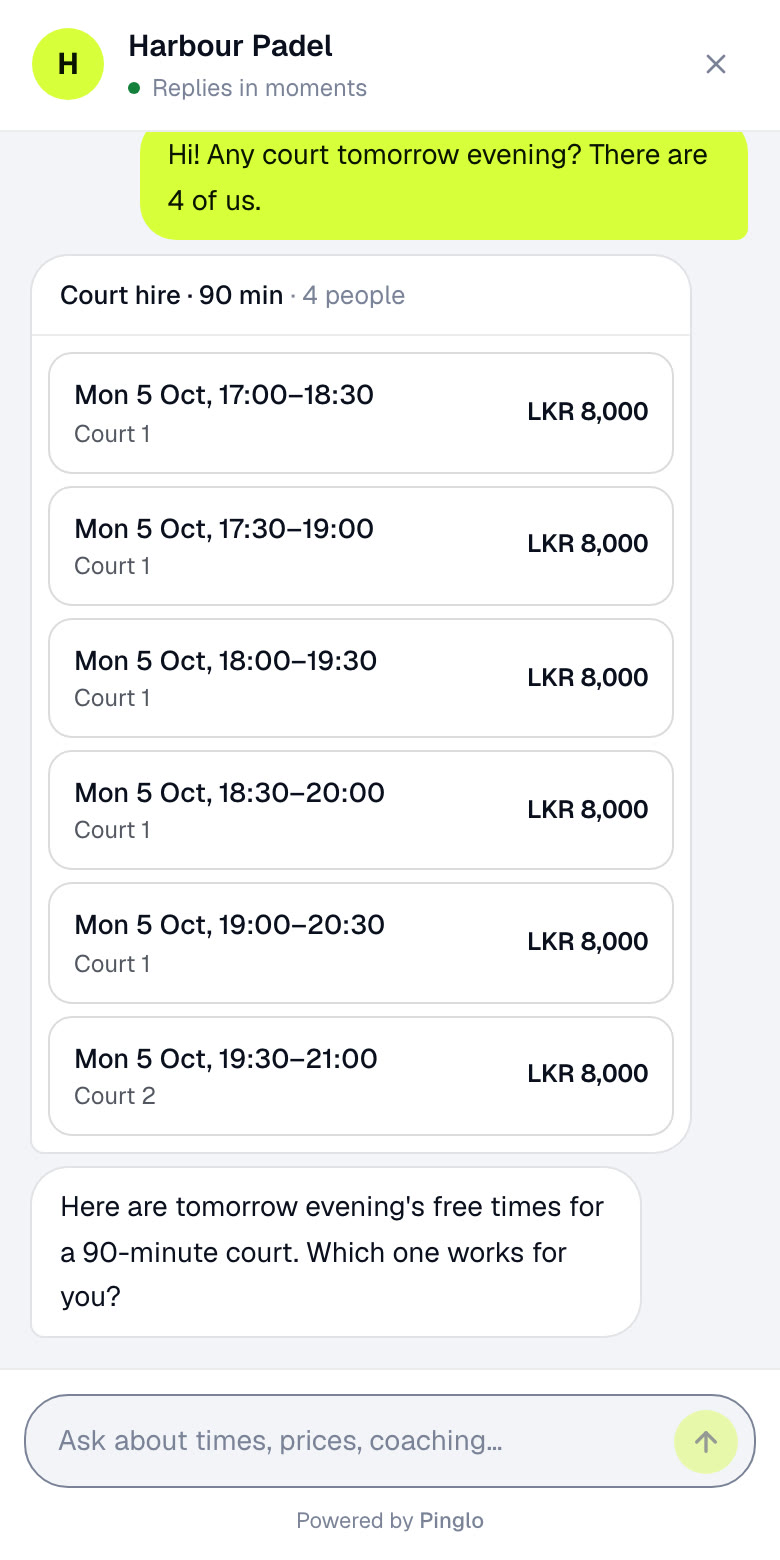
“Any court tomorrow evening? There are 4 of us.” Pinglo checks your live calendar and sends the free times as a list they can tap.
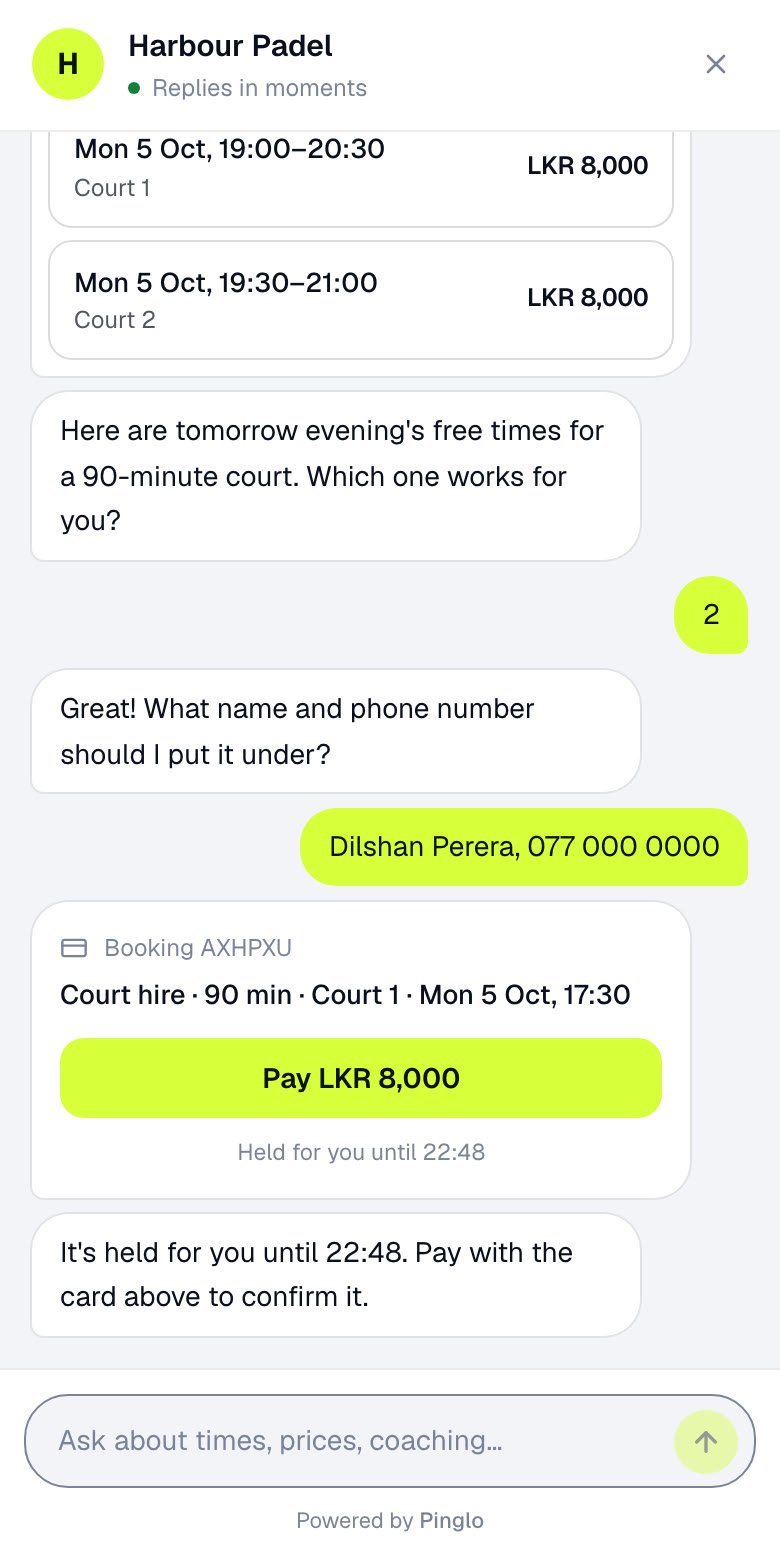
They pick a time and give a name and number. The court is held for them while they pay, and nobody else can take it.
The payment card goes to your own PayHere or Stripe account. The booking confirms itself when the money lands, not when someone says they've paid.
The same assistant answers on WhatsApp, Instagram, LINE and a chat button on your website.
What your team sees
Every conversation from WhatsApp, Instagram and your website in one place, with what the customer asked for, the times it offered and the booking it made. Take over with one tap, and hand it back when you're done.
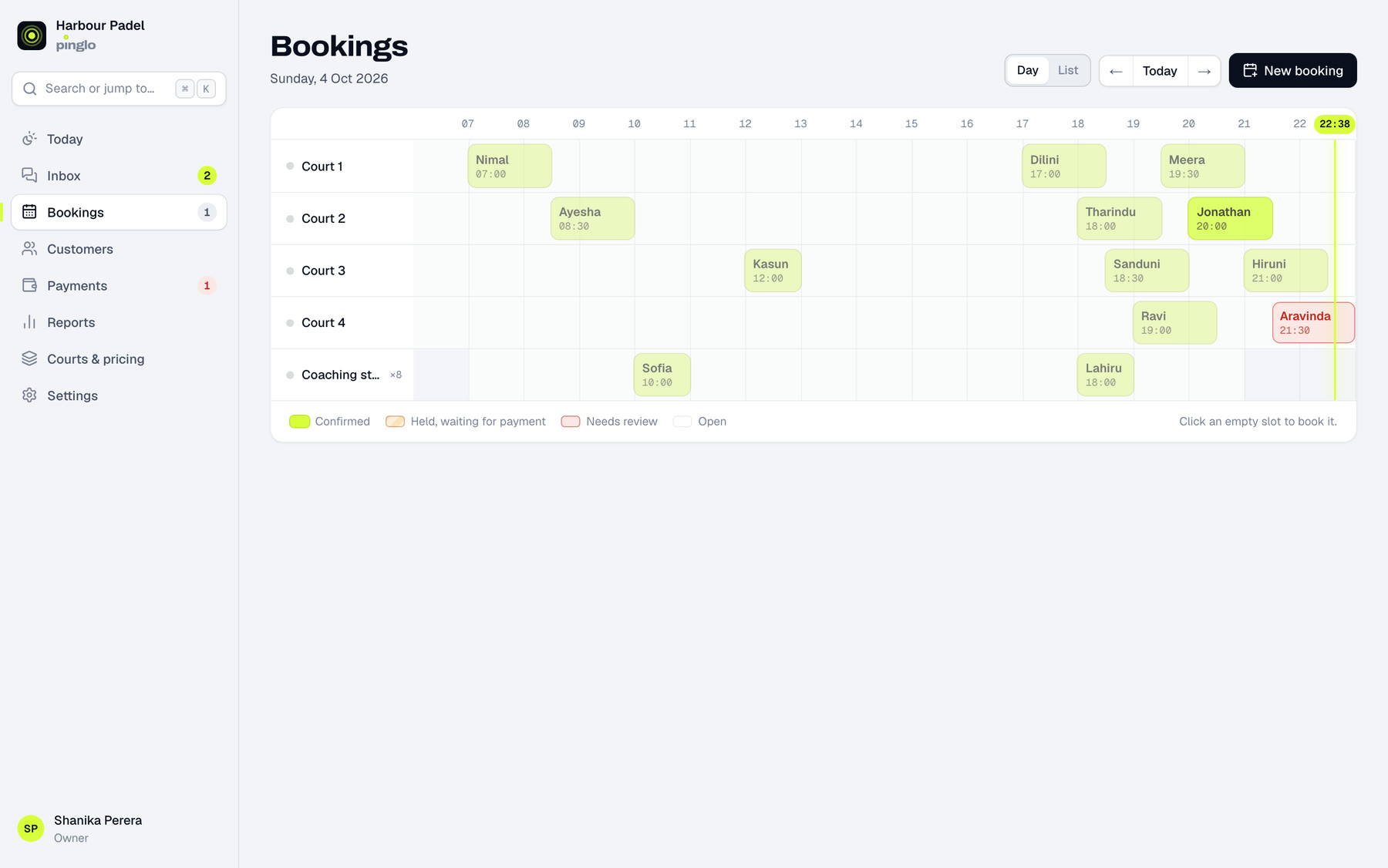
What came in today, how full your courts are, who needs a person, and every booking on a timeline of your courts, coaches and rooms.
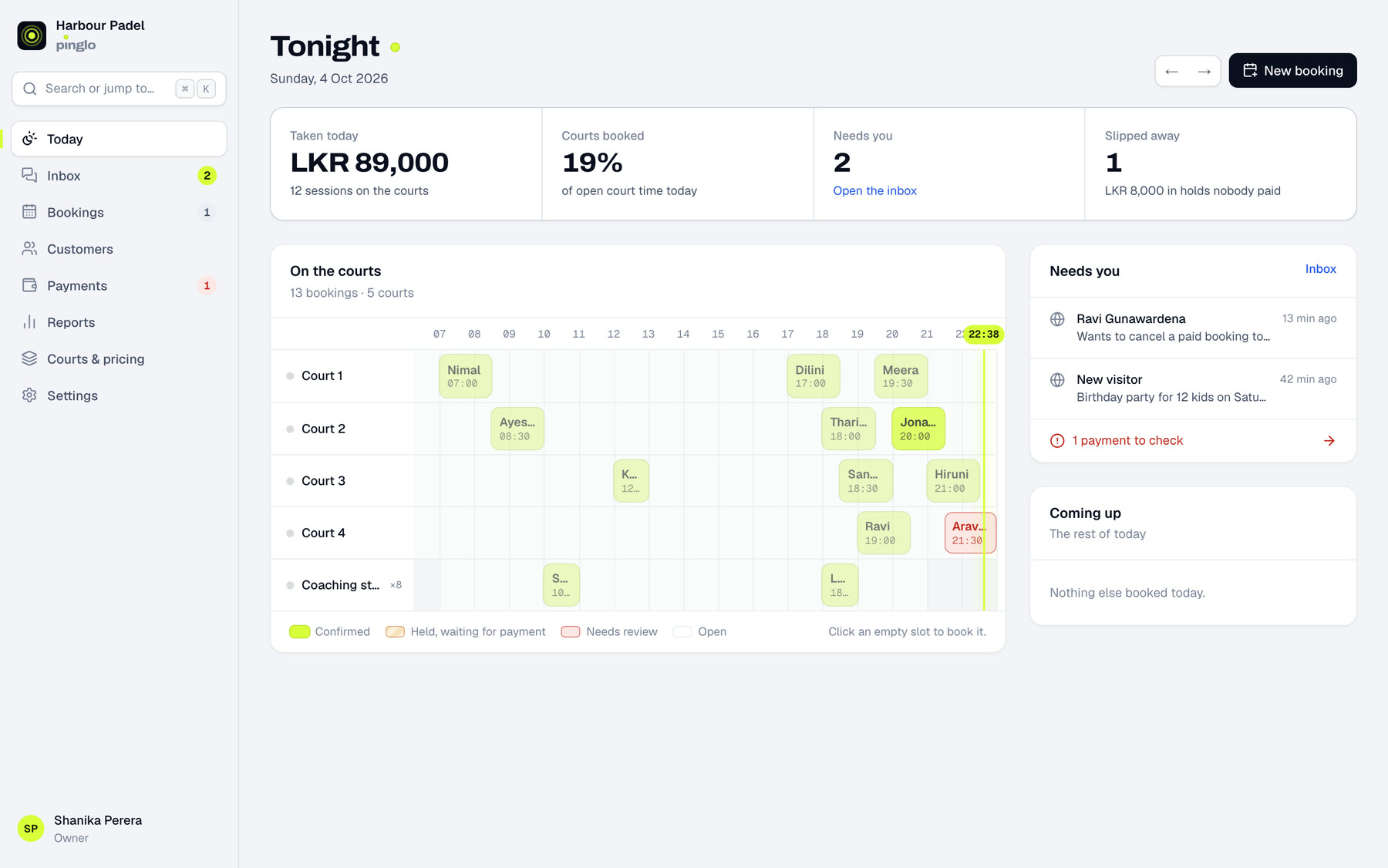
Pinglo books into the same calendar your team uses. Phone and walk-in bookings go in from here too, and two people can never hold the same court.
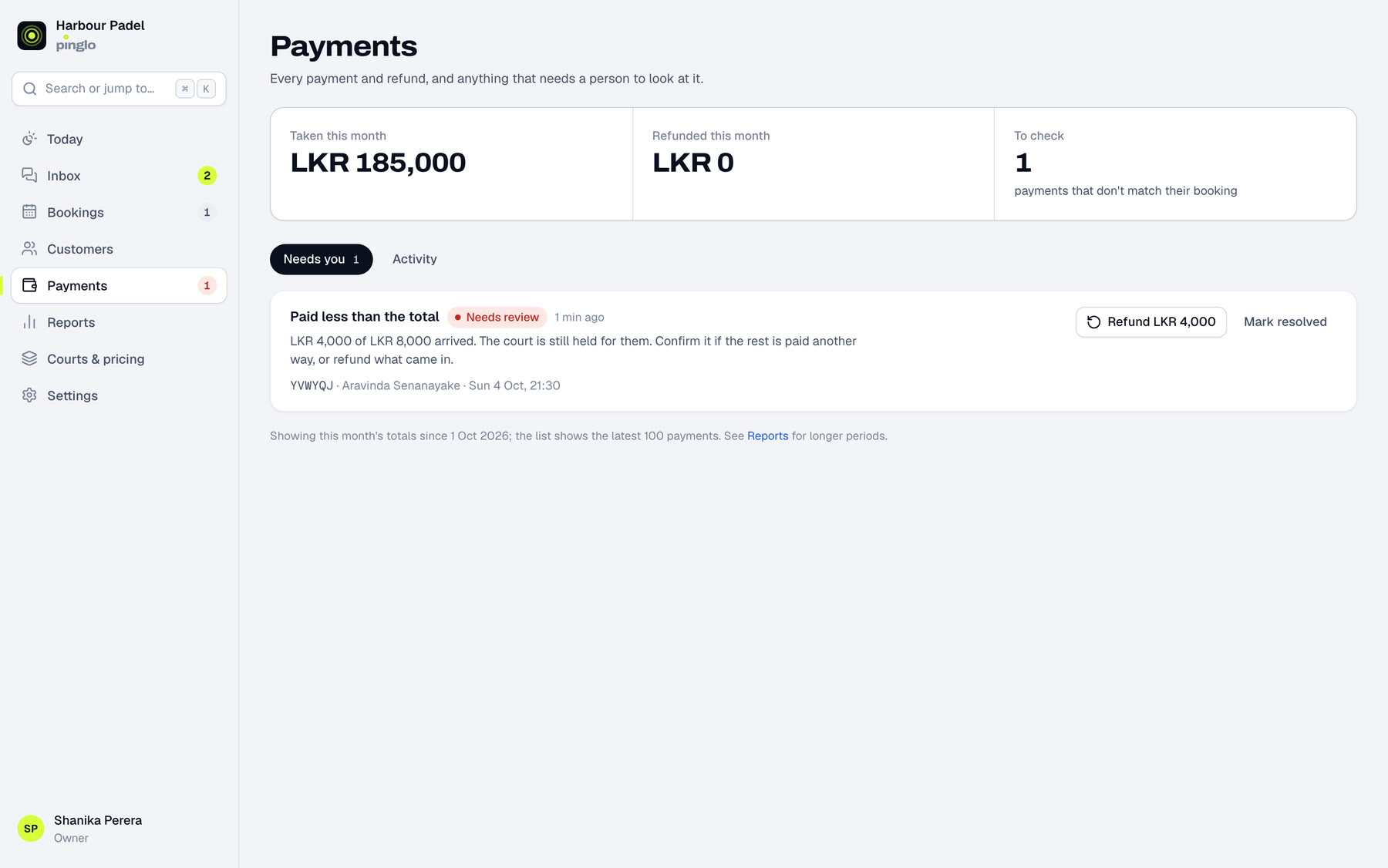
Money goes straight to your account. A short payment, or one that lands after a hold has expired, goes to a queue for a person, with a refund button when you need it.
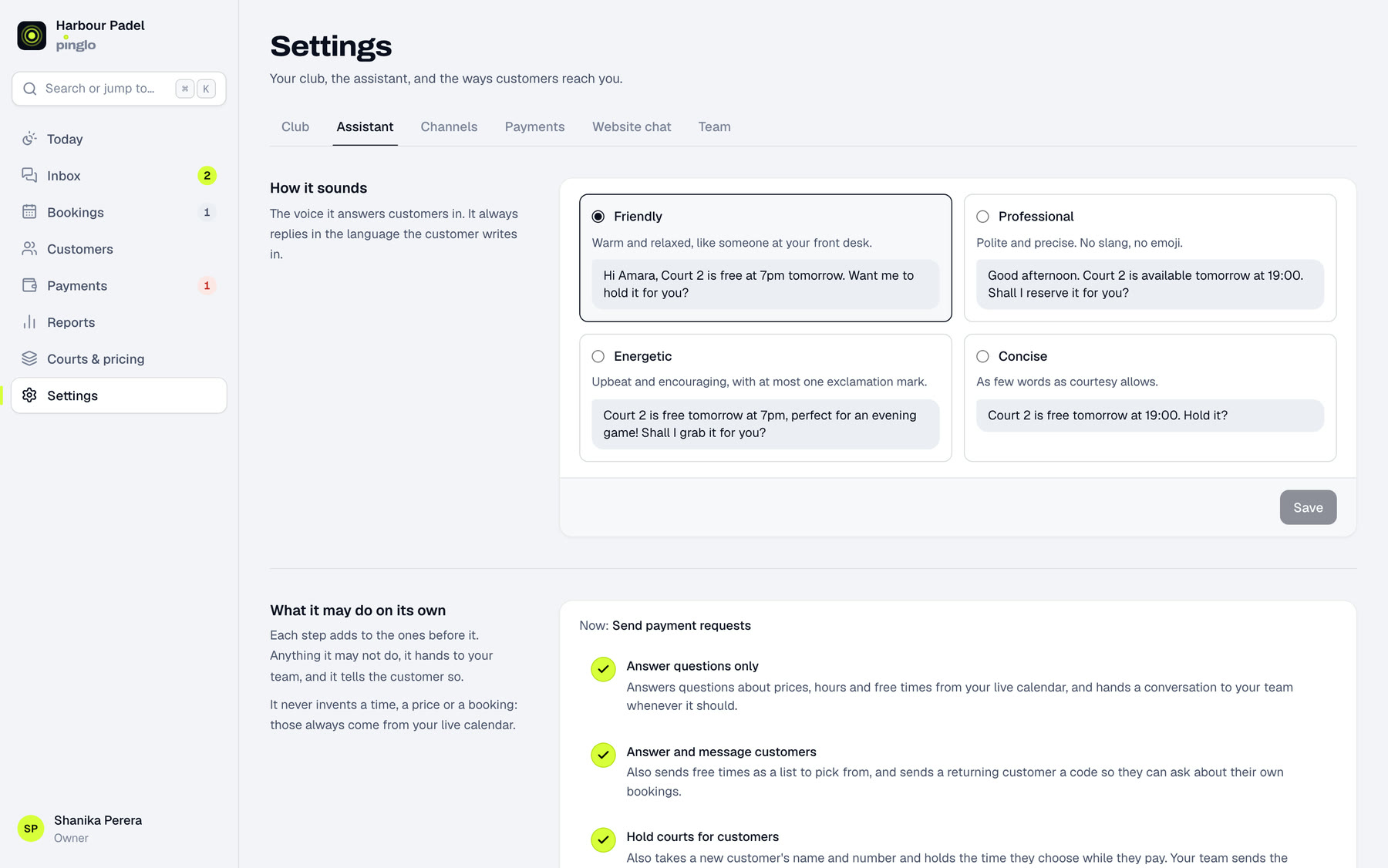
Choose how it sounds and how much it may do on its own: answer questions only, hold courts, or send payment requests. It quotes your house rules and cancellation policy, and hands discounts, refunds and complaints to your team.
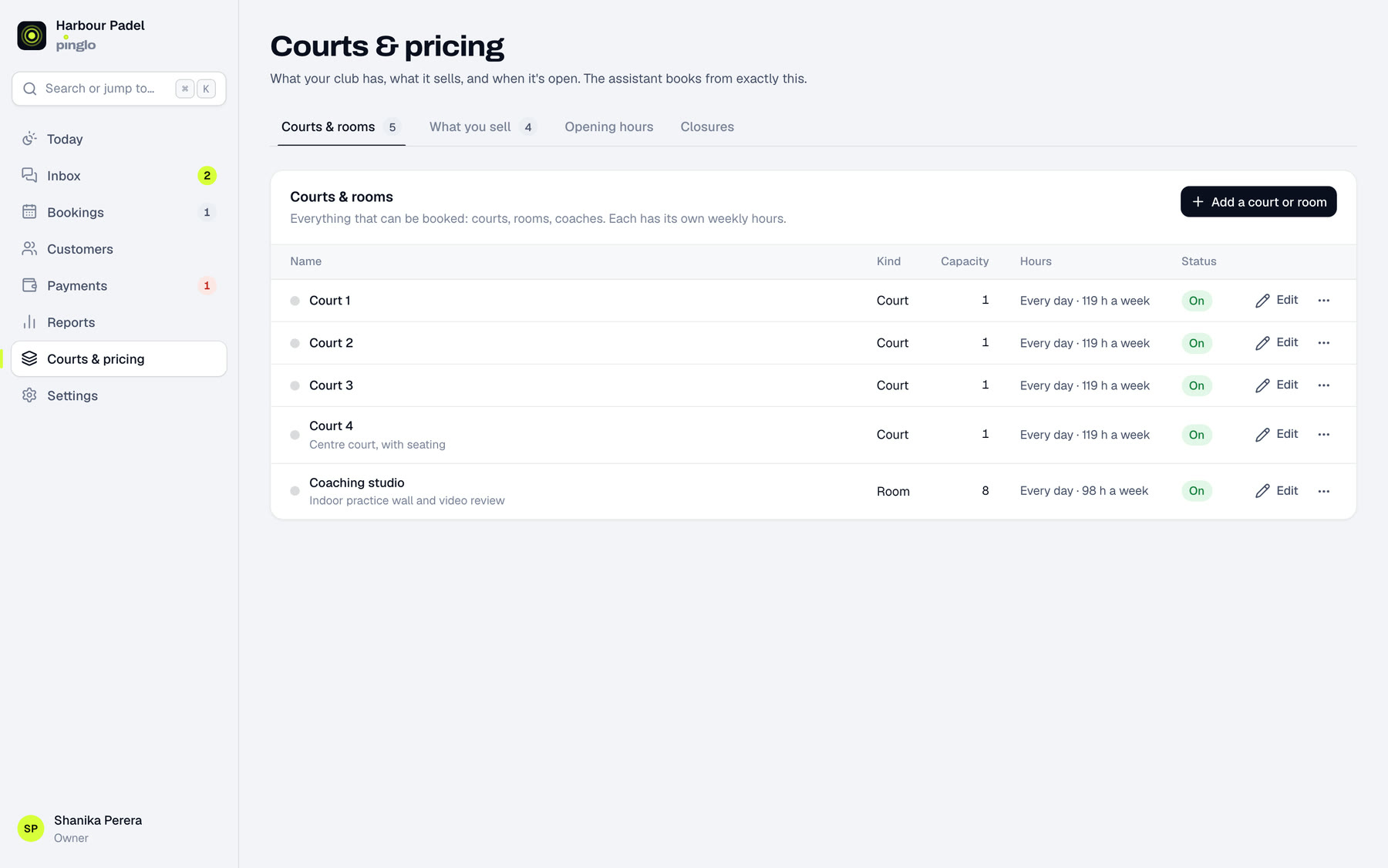
Courts, rooms, coaching, opening hours and closures. Pinglo never invents a time or a price: it books only from this list.
Revenue, how full your courts were, how fast enquiries got an answer, and how many of them ended in a paid booking.
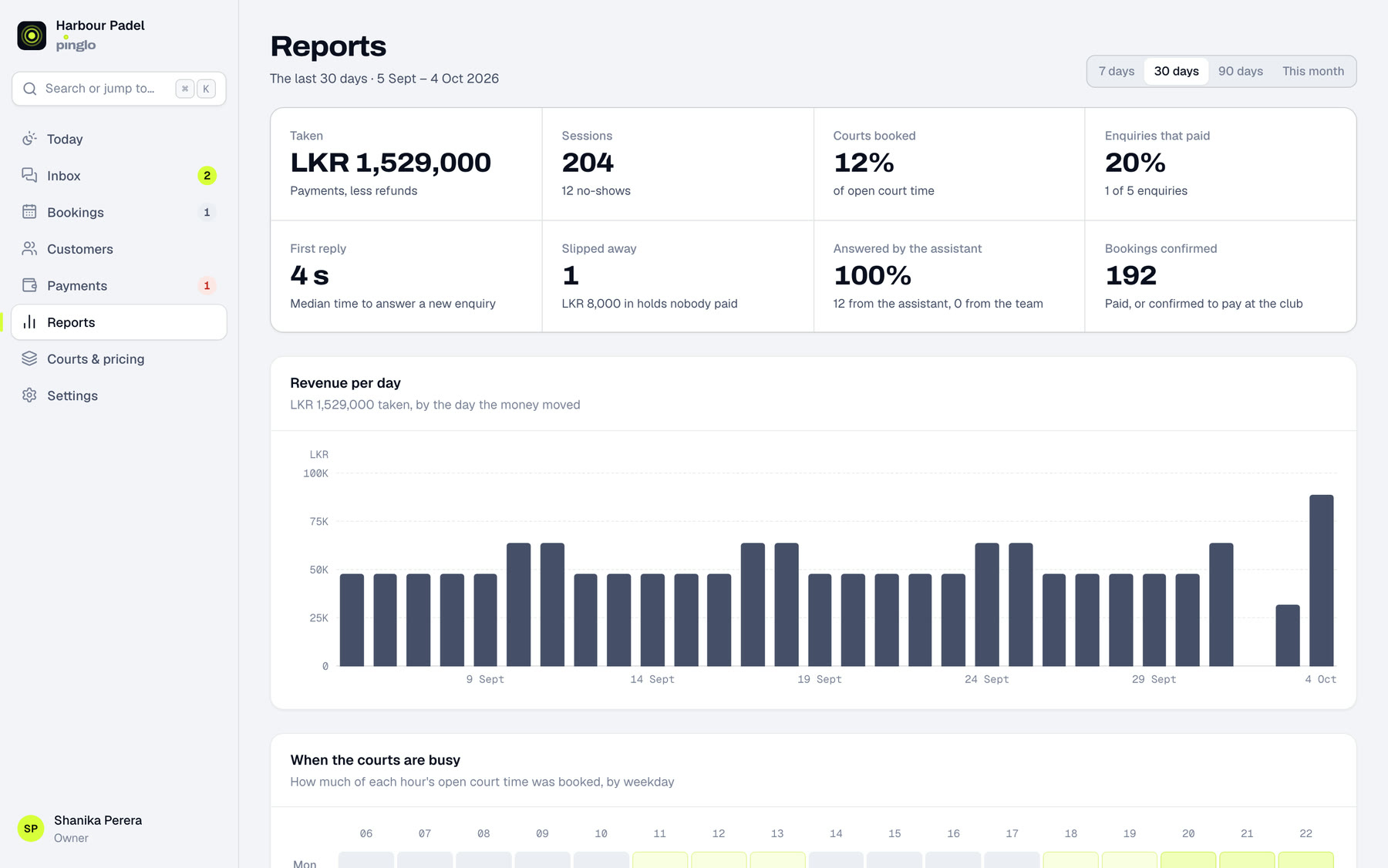
Every screen here is the real product, showing our demo venue's sample data.
How a pilot works
On a call or at your venue. You message it from your own phone and watch it book one of your courts.
Send them over and we set everything up for you, including your house rules and cancellation policy.
On your website chat, your Instagram or a new booking number on WhatsApp, while you keep an eye on the inbox.
If it isn't worth it after 30 days, you stop. If it is, you keep it.
Request a demo
Tell us about your venue and we'll get in touch to set up a 15-minute demo, loaded with your courts and prices.
Or try it now, on our demo venue: pinglo.lk/demo
We'll contact you to set up a demo for your venue.
Not yet on the same number your team uses in the WhatsApp Business app. For a pilot you choose: start on your website chat and Instagram and leave your WhatsApp as it is, add a new booking number on WhatsApp, or move your main number into Pinglo so your team answers from its inbox.
No. Pinglo answers WhatsApp and Instagram, and the website chat also works as a link you can share anywhere, such as your Instagram bio.
It hands the conversation to your team, with everything said so far, and tells the customer a person will reply. It never offers a discount or makes an exception on its own.
Straight to your own PayHere or Stripe account. Pinglo never holds it. If you'd rather take payment at the club, it holds the court and your team confirms the booking.
Any time. Take over a single conversation with one tap, pause a channel, or set it to answer questions only and leave the booking to you.